Why Follower Management Matters
Instagram’s algorithm favors engagement rate over raw follower count. Having 5,000 engaged followers outperforms 50,000 fake or inactive ones. When your list is cluttered with bots and ghost followers, your content gets pushed to people who never interact—tanking your engagement and reach.
Types of Followers
Active Followers: Your gold. They like, comment, save, and share your content regularly.
Passive Followers: Real people who rarely interact. Not harmful, but dilute your metrics.
Ghost Followers: Accounts that followed you but became inactive. They drag down engagement without providing value. Learn how to find and remove ghost followers effectively.
Bot Accounts: Fake accounts with no profile picture, random usernames, no posts, and suspicious following ratios.
How to Identify Fake Followers
Red flags to watch for:
- No profile picture or generic stock photo
- Username with random numbers (user38472947)
- Empty bio or random emojis
- Zero posts or only 1-2 low-quality ones
- Following 5,000+ accounts but only 50 followers
- No activity in months
Tools for Follower Management
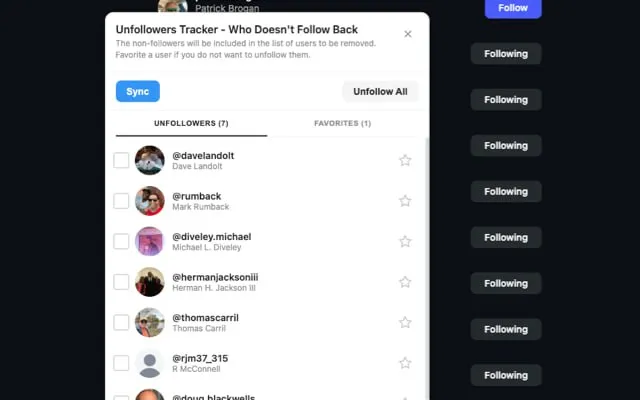
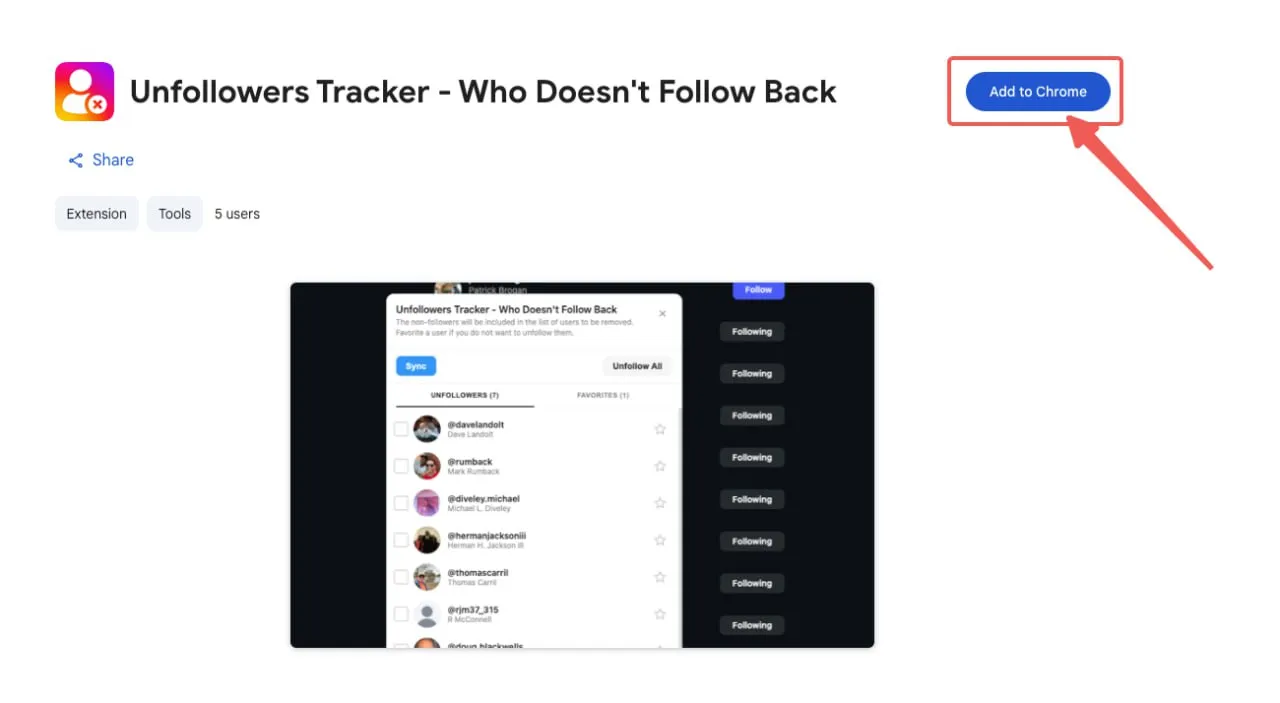
Manual auditing becomes impractical as your account grows. Browser extensions for Instagram like Unfollowers Tracker help you:
- Track who unfollowed you with exact timing
- Identify non-followers (accounts you follow that don’t follow back)
- Spot inactive accounts that haven’t engaged
- Bulk manage without tedious one-by-one checking
The advantage: browser extensions work directly with Instagram’s web interface—no password required, safer than third-party apps.
Using a reliable tool to instagram follower management is essential for maintaining a healthy Instagram presence.
How to Remove Fake Followers
Safe Removal Strategy
Remove gradually to avoid triggering spam filters:
- Week 1-2: 10-20 fake followers per day
- Week 3-4: Increase to 30-50 per day
- Ongoing: Regular cleanup sessions
Steps to Remove
- Go to your profile → tap “Followers”
- Find the account to remove
- Tap the three dots → select “Remove”
They won’t be notified. For persistent spam accounts, use Block instead.
Tracking Unfollowers
Instagram doesn’t notify you when someone unfollows. Understanding why people leave helps you retain more:
- Content style changed
- Posting too much or too little
- Quality dropped
- They only followed hoping you’d follow back
Unfollowers Tracker shows you recent unfollowers and tracks changes over time, helping you identify patterns.
Many users search for ways to instagram follower management safely without risking their accounts.
Managing Your Following List
Your following list matters too:
- Feed quality: Too many follows clutters your feed
- Ratio perception: Following way more than follow you looks spammy
- Engagement: Following non-followers rarely leads to engagement
Consider unfollowing accounts that don’t follow back (unless they provide genuine value), inactive accounts, and content you always skip.
Daily limit: Stay under 100-200 unfollows per day, spread throughout the day. Instagram has unfollow limits to prevent spam behavior.
Building Quality Followers
Content Strategy
- Consistency: Stick to a posting schedule
- Value first: Every post should entertain, educate, or inspire
- Authenticity: Share real moments and behind-the-scenes content
- Interactive content: Use Stories polls, questions, and quizzes
Engagement Tactics
- Respond to comments thoughtfully
- Engage with your followers’ content first
- Use calls to action in captions
- Collaborate with accounts in your niche
What to Avoid
Never buy followers—they’re almost always bots that destroy your engagement rate. Avoid follow-for-follow schemes and any service promising rapid growth.
The ability to instagram follower management has become increasingly important for content creators.
FAQ
How often should I clean up followers? Monthly maintenance with weekly quick scans of new followers.
Will removing followers hurt my account? No—removing fake followers improves your engagement rate. Just remove gradually.
When you instagram follower management, you gain valuable insights into your audience behavior.
Can people tell if I removed them? No, Instagram doesn’t notify them.
What’s a good engagement rate? Track your follower growth to monitor your metrics. 1-3% is average, 3-6% is good, above 6% is excellent.
How many followers can I remove per day? Stay under 50-100 per day, spread throughout the day.
What’s the best unfollower tracking tool? Browser extensions like Unfollowers Tracker are safest—no password required, works directly with Instagram’s web interface.
Conclusion
Quality beats quantity on Instagram. A smaller, engaged following outperforms a large, fake one every time. Use Unfollowers Tracker to simplify management, maintain a regular cleanup routine, and focus on content that resonates with your audience.
Learning to instagram follower management effectively can help improve your engagement rates.
Start your follower cleanup today and watch your engagement improve. Try our free Analyze Tool to get started.