Want to see who unfollowed you on Instagram? Most apps ask for your password—don’t do it. Here’s how to check safely without risking your account.
When you need to instagram unfollowers, having the right tools makes all the difference.
Why You Should Never Share Your Instagram Password
Apps that require your login can:
- Steal your account by changing your password
- Access your DMs and private content
- Get your account banned for violating Instagram’s terms
- Sell your data to third parties
Many Instagram users search for ways to instagram unfollowers safely and effectively.
Instagram explicitly prohibits sharing credentials with unauthorized apps. Even “trusted” apps can be hacked or turn malicious.
Safe Methods to Check Unfollowers
Method 1: Use Our Free Analyze Tool (Recommended)
The safest way is using Instagram’s official data export with our Analyze Tool:
The ability to instagram unfollowers helps you maintain a healthy Instagram presence.
-
Export your Instagram data:
- Go to Settings → Your Activity → Download Your Information
- Select “Followers and Following”
- Choose JSON format and request download
- Wait for email (usually 24-48 hours)
-
Upload to our Analyze Tool:
- Go to unfollows.net/analyze
- Upload your exported JSON files
- Instantly see who doesn’t follow you back
Learning how to instagram unfollowers is essential for serious Instagram users.
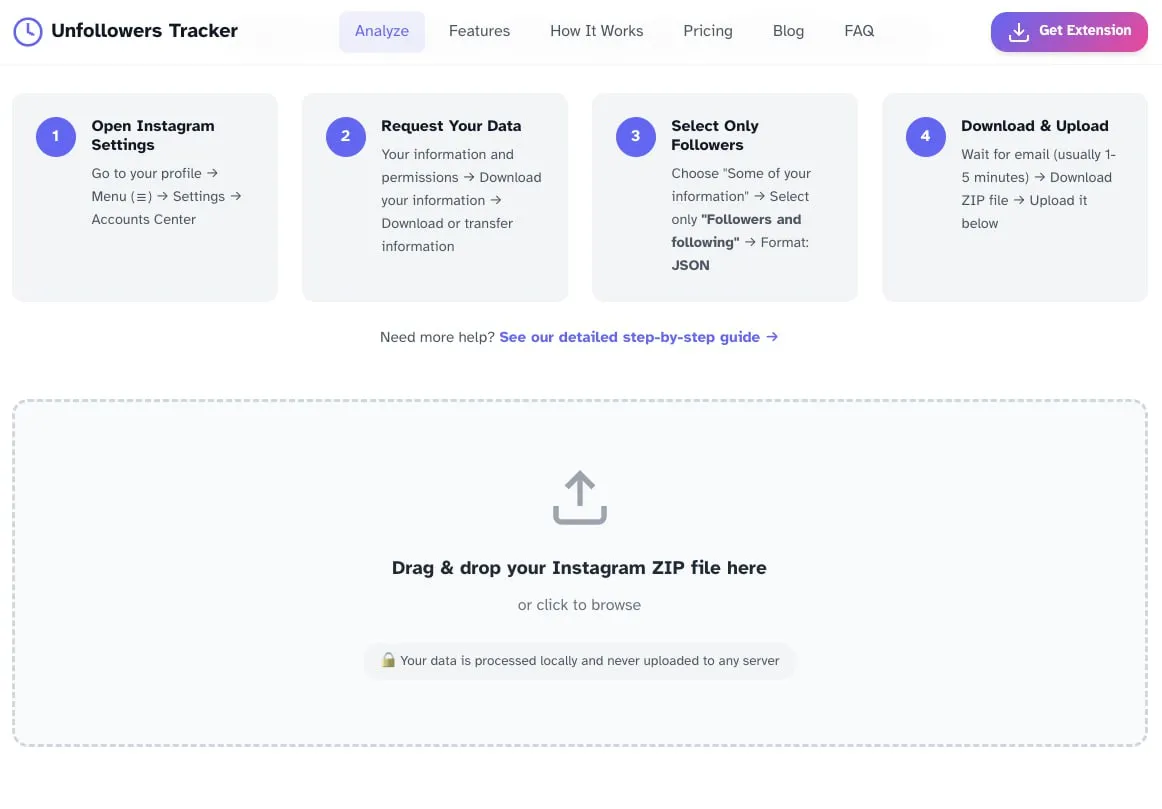
Why it’s safe: All processing happens in your browser. Your data never leaves your device.
If you want to instagram unfollowers, consider using browser-based tools for safety.
Method 2: Browser Extension
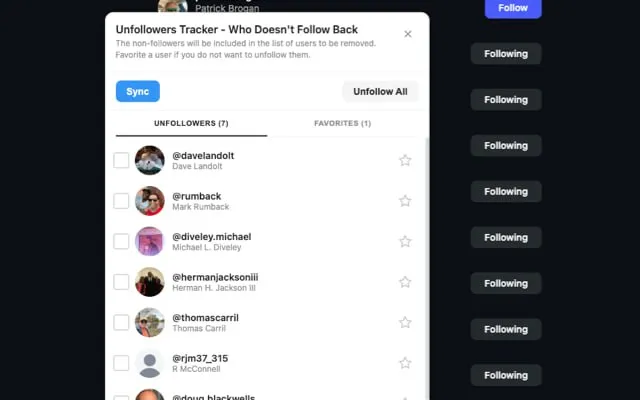
The Unfollowers Tracker Chrome Extension works while you’re logged into Instagram normally. It’s a free Instagram unfollow tracker that requires no password:
- No password required
- Real-time results
- Local processing only
- Free to use
Method 3: Manual Comparison
For maximum control:
- Export your follower list periodically
- Compare lists using a spreadsheet
- Identify accounts that disappeared
Time-consuming but completely private.
What You’ll See
- Non-followers: People you follow who don’t follow back
- Mutual followers: People who follow each other
- Fans: People who follow you but you don’t follow back
FAQ
Can Instagram ban me for checking unfollowers?
Not if you use safe methods. Our Analyze Tool and browser extension only read your exported data—no API abuse, no risk.
How often should I check?
Once a week is enough. Obsessing over unfollowers isn’t healthy.
Why do people unfollow?
Common reasons: content no longer interests them, cleaning up their feed, they expected a follow-back, or they deleted their account.
Are paid unfollower apps worth it?
No. Free tools using data export provide the same info. Paid apps often require your password—avoid them.
Start Checking Safely
→ Use the Analyze Tool — Upload your exported data, see results instantly
→ Get the Chrome Extension — Real-time tracking, no password needed