Why Clean Up Your Following List?
Your Instagram following list is probably a mess—random accounts from late-night scrolling, follow-backs on people you barely know, and inactive profiles cluttering your feed.
The costs of a bloated following list:
- Algorithm confusion: Instagram can’t figure out what content you want
- Damaged engagement rates: A poor follower-to-following ratio looks suspicious
- Mental clutter: Irrelevant content affects your experience
- Security risks: Old accounts may be compromised or converted to spam
Step 1: Audit Your Following List
Types of Accounts You’ll Find
- Active connections: Friends, family, people you interact with
- Valuable creators: Accounts with content you enjoy
- One-way follows: Accounts that don’t follow you back
- Ghost accounts: Profiles that haven’t posted in months
- Spam/bots: Suspicious profiles with no posts
- Outdated interests: Hobbies or jobs you no longer have
Use Tools to Speed Up
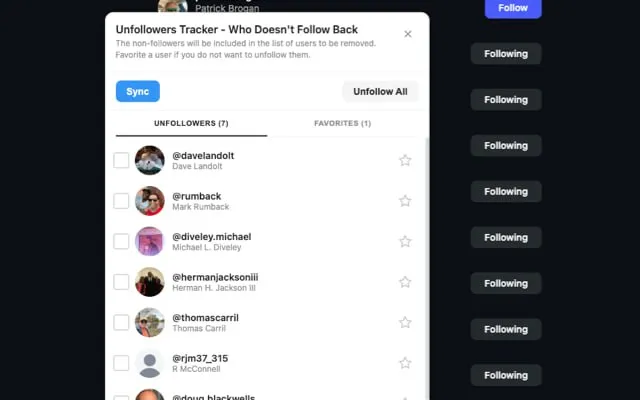
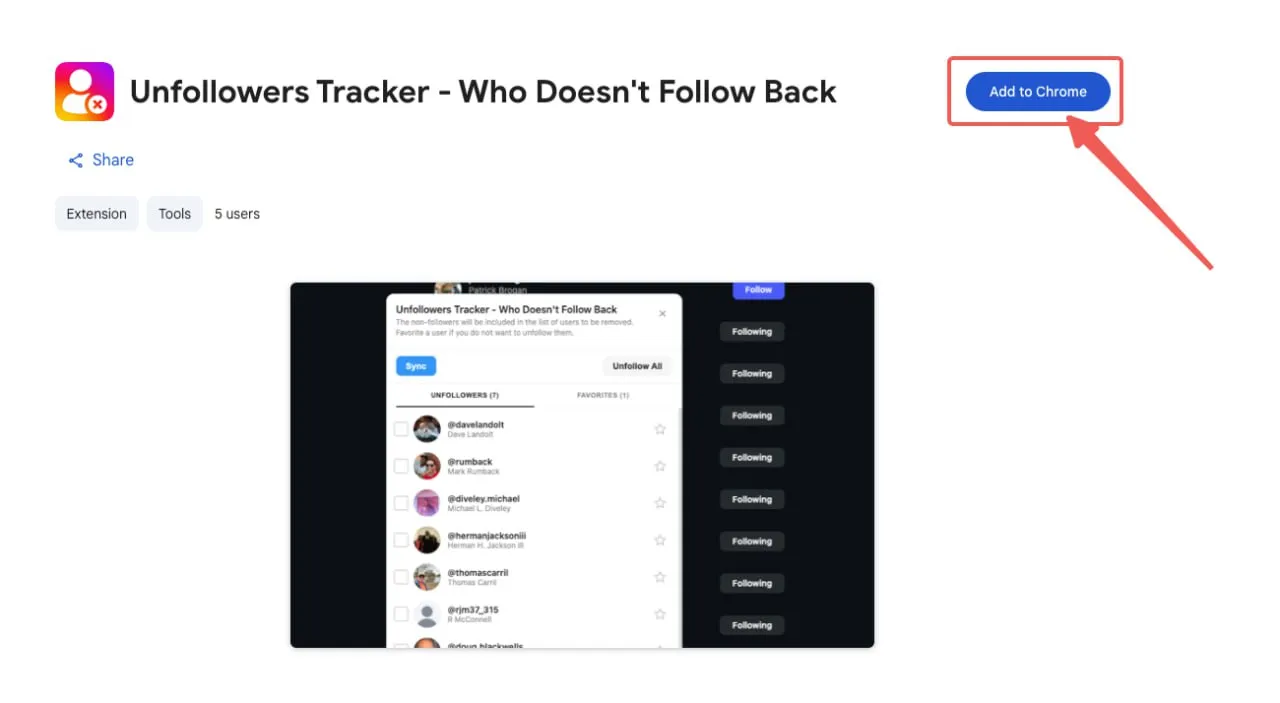
Manually checking each account is tedious. Unfollowers Tracker quickly identifies:
- Accounts that don’t follow you back
- Inactive accounts
- Recent unfollowers
It works in your browser without requiring your password.
Related: Check Who Doesn’t Follow You Back on Instagram
When you need to instagram follower management, having the right tools makes all the difference.
Step 2: Decide Who to Unfollow
Definitely Unfollow
- Inactive accounts (6+ months without posting)
- Spam and bot accounts
- Accounts you don’t recognize
- Non-followers who aren’t worth it
- Accounts that trigger negative emotions
Consider Keeping
- Close friends and family
- Accounts you actively engage with
- Aspirational follows that inspire you
- Professional connections
The “Mute First” Strategy
Not sure? Use Instagram’s mute feature instead of unfollowing. Go to their profile → tap “Following” → select “Mute.”
Step 3: Understand Instagram’s Limits
Exceed unfollow limits and you’ll get an action block. Safe guidelines:
| Account Age | Per Hour | Per Day |
|---|---|---|
| New (< 3 months) | 10-20 | 50-100 |
| Established (3+ months) | 30-60 | 150-200 |
| Aged (1+ years) | Up to 60 | Up to 200 |
Related: Instagram Unfollow Limit: How Many Can You Unfollow?
Many Instagram users search for ways to instagram follower management safely and effectively.
Best Practices
- Spread it out: Don’t unfollow 200 accounts at once
- Mix actions: Like posts and watch stories between unfollowing
- Avoid automation: Third-party mass unfollow apps can get you banned
- Be patient: Plan for 2-3 weeks, not 2-3 hours
The ability to instagram follower management helps you maintain a healthy Instagram presence.
Related: How to Mass Unfollow on Instagram Safely
Step 4: The Cleanup Process
Week 1: Initial Cleanup
- Install Unfollowers Tracker
- Identify non-followers and inactive accounts
- Unfollow 50-100 obvious candidates daily (spam, bots, inactive)
Learning how to instagram follower management is essential for serious Instagram users.
Week 2: Thoughtful Decisions
- Tackle harder decisions—accounts you recognize but don’t engage with
- Use mute for accounts you’re unsure about
- Continue at 50-100 unfollows per day
Week 3+: Maintenance
- Finish remaining unfollows
- Set monthly reminders to review
- Be more intentional about new follows
Step 5: Maintain a Clean List
The “One In, One Out” Rule
Every time you follow someone new, unfollow one that no longer serves you.
Monthly Audits
Spend 10 minutes each month using Unfollowers Tracker to identify:
- New non-followers
- Accounts gone inactive
- Spam accounts
Related: Instagram Follower Management: Complete Guide
Common Mistakes to Avoid
❌ Mass unfollowing too quickly → Results in action blocks
❌ Using sketchy apps → Apps requiring your password risk your account
❌ Unfollowing everyone who doesn’t follow back → Some accounts are worth following anyway
❌ Forgetting to engage → Like and comment on accounts you keep
Related: Is It Safe to Use Instagram Unfollower Apps?
FAQ
How many can I unfollow per day? Established accounts: 150-200/day. New accounts: 50-100/day. Spread throughout the day.
Will people know if I unfollow them? Instagram doesn’t notify. They’d have to check manually or use tracking tools.
Should I unfollow everyone who doesn’t follow back? No. It’s fine to follow celebrities and creators you enjoy without expecting reciprocation.
How do I find non-followers? Use Unfollowers Tracker—no password required.
What if I get action blocked? Wait 24-48 hours, then resume much slower.
Related: How to Track Instagram Activity Without Getting Banned
Conclusion
A curated feed means less scrolling past irrelevant content and better engagement with accounts you care about.
The process:
- Audit with Unfollowers Tracker
- Make thoughtful decisions
- Respect Instagram’s limits
- Maintain monthly
Start today—your future self will thank you.